
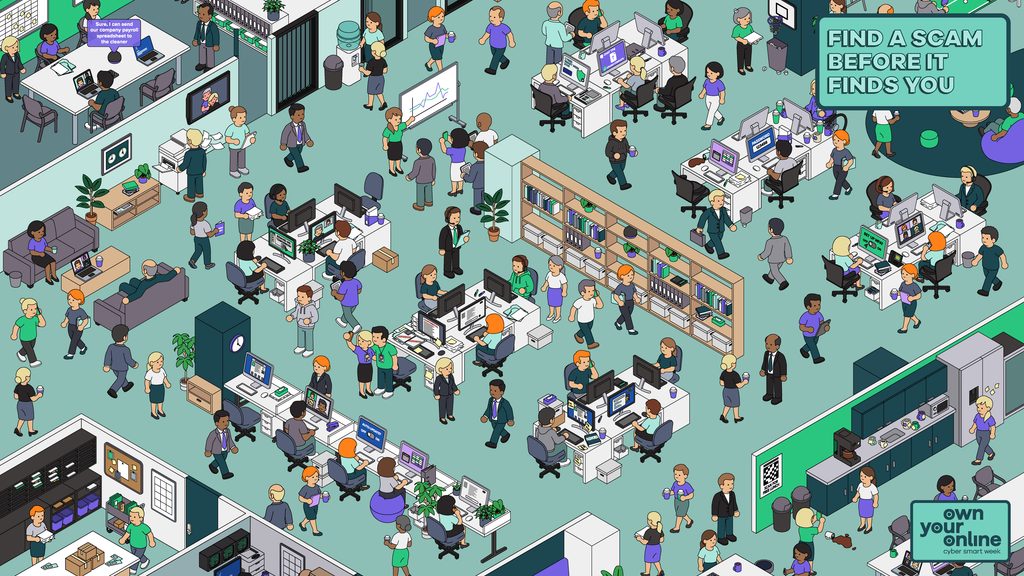
Cyber Smart Week 2026 took place from 5–11 October, encouraging New Zealanders to recognise scams, question suspicious messages and take practical steps to stay safer online.
Digital Inclusion Whanganui supported the campaign by sharing resources from Own Your Online, New Zealand’s government-backed online safety initiative.
Although Cyber Smart Week has finished, the information remains just as relevant. We’ve kept this page as a practical collection of resources you can return to and share with others.
🔎 Can you spot the scam?
Scams are becoming increasingly sophisticated. Artificial intelligence (AI) can help scammers produce convincing emails, messages, websites and even fake voices.
Something that looks genuine may not be.
Own Your Online offers useful tools to help you recognise suspicious activity and decide what to do.
Check a suspicious message, call or website — Scam Check
Find a Scam Before It Finds You — Campaign Resources
The campaign resources include a spot-the-scam poster, practical checklists and activities to help develop scam awareness.
🛡️ Small steps can make a real difference
Staying safer online doesn’t have to be complicated.
Five useful habits are:
- Use strong, unique passwords or passphrases for important accounts.
- Turn on two-factor authentication wherever possible.
- Keep your phone, computer and apps updated.
- Pause before clicking unexpected links or opening attachments.
- Never share banking passwords, security codes or login information with someone who contacts you unexpectedly.
Even small improvements can make a difference.
Learn about common scams and fraud
🤔 Take your time — and check if you’re unsure
Scammers frequently create a sense of urgency. They may claim that your bank account is at risk, a parcel needs attention or a government payment requires immediate action.
You don’t have to respond straight away.
Stop, think and check independently. If someone claims to be from your bank or another organisation, contact that organisation using a phone number or website you have found yourself.
And remember, asking for help is a sensible precaution.
🔐 How secure are you online?
Would you like to check how well you’re protecting your accounts and devices?
Own Your Online has a short assessment that asks about passwords, account security, updates and everyday online habits. It provides a personalised action plan.
Try the Online Security Assessment
🚨 What if something has already gone wrong?
If you think you’ve been scammed or your account has been compromised, acting quickly can help limit the harm.
If money or banking information is involved, contact your bank immediately using its official contact details.
For online incidents, New Zealand’s National Cyber Security Centre provides information and a reporting service through Own Your Online.
Get help with an online scam or security incident
🤝 Digital confidence matters too
Knowing the advice is one thing. Putting it into practice on your own phone, tablet or computer can be quite another.
Digital Inclusion Whanganui is interested in these everyday challenges — understanding where people encounter difficulties, how practical assistance can help, and how to build greater confidence and independence.
Cyber Smart Week provided an opportunity to encourage conversations about online safety. But digital confidence, scam awareness and safe access to online services matter throughout the year.
📍 Digital Inclusion Whanganui
Digital Inclusion Whanganui explores local experiences of digital exclusion, tests practical approaches and shares what we learn.
Our work includes digital safety and confidence, helping people navigate essential online services, and understanding the needs of older people and others who encounter digital barriers.
Visit the Digital Inclusion Whanganui homepage
This page retains resources shared during Cyber Smart Week 2026. External resources are provided by Own Your Online, a New Zealand government initiative. Last updated: 15 October 2026.